Building Access Technology: Evaluation Framework for Property Managers
44% of property managers cite cost as the biggest obstacle to technology adoption. But the real challenge isn't cost. It's unclear evaluation criteria. This framework gives you a structured approach to compare solutions, calculate true ROI, and build a business case your owners will approve.
Knockli Team
Product Team
The Evaluation Challenge
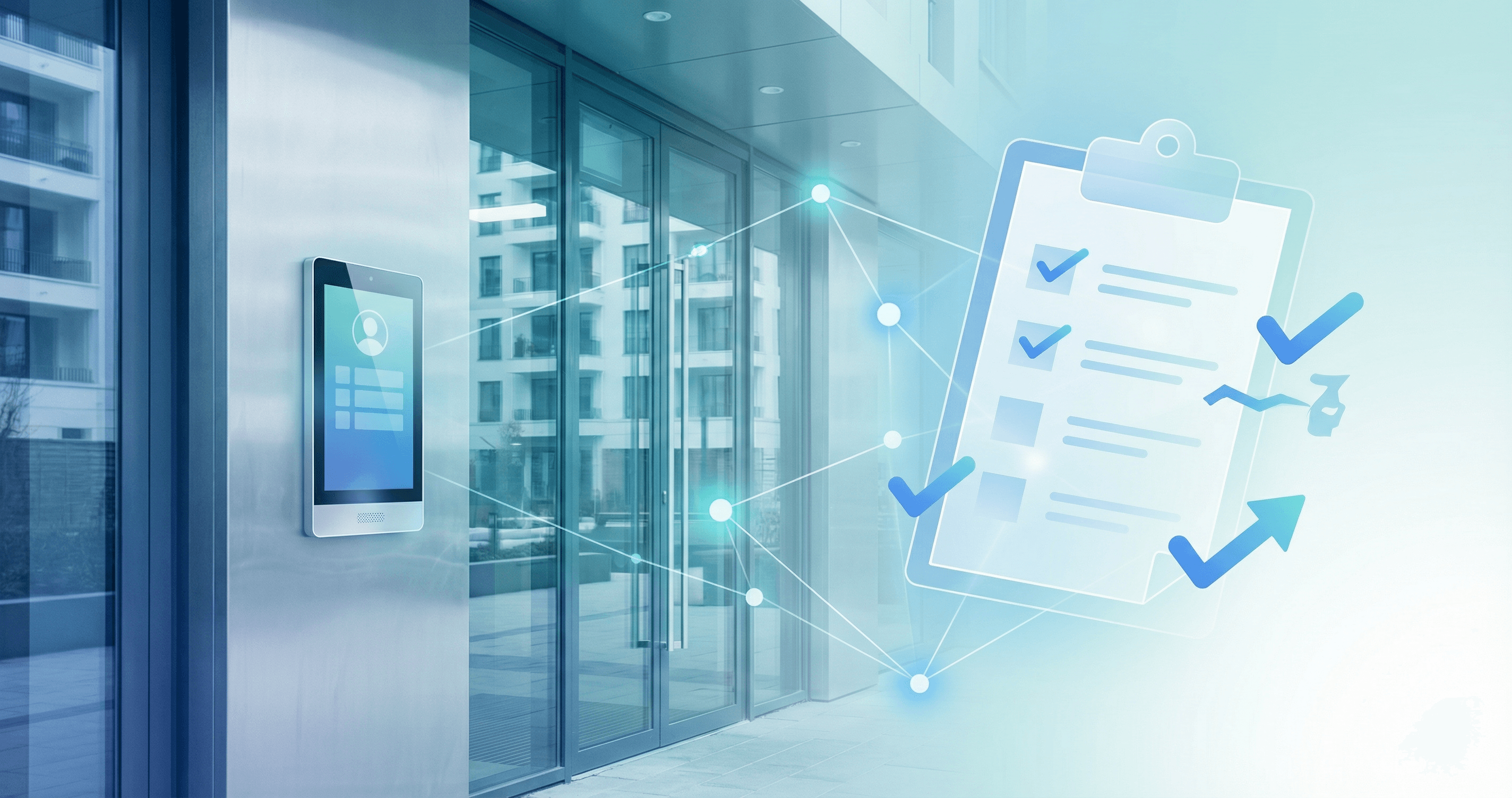
According to IREM's PropTech Insights research, 44.2% of property managers cite overall cost as the biggest obstacle to implementing property management technology. But here's what the data doesn't capture: the real challenge usually isn't the cost itself.
It's the lack of clear criteria for evaluation.
When every vendor claims their solution reduces complaints, improves security, and delivers ROI, how do you actually compare options? When your owner asks "why this solution over the others?", what's your answer?
This framework provides a structured approach to building access technology evaluation. You'll learn how to categorize solutions, apply consistent criteria, calculate true costs, and ask the questions that separate marketing claims from operational reality.
Understanding Solution Types
Before comparing specific products, understand the three fundamental approaches to building access technology:
Building access technology refers to systems that control and manage who enters a building, including hardware (intercoms, readers, locks), software (management dashboards, mobile apps), and the integration layer connecting them.
Hardware-Heavy Solutions
These systems replace your existing infrastructure with new equipment: video intercoms, smart locks, card readers, and dedicated wiring.
Characteristics:
- Capital expenditure: $3,000-$10,000+ per entry point
- Installation: Professional installation required, often 1-2 weeks per building
- Functionality: Video calling, touchscreen directories, biometric options
- Best for: New construction, major renovations, buildings with outdated wiring
Examples: ButterflyMX, Latch, SmartRent, traditional video intercom systems.
Software-First Solutions
These systems work with your existing phone-based call boxes by adding an intelligent software layer. No hardware replacement required.
Characteristics:
- Capital expenditure: $0
- Installation: Self-service setup in 15-30 minutes per building
- Functionality: AI-powered screening, automated delivery handling, policy enforcement
- Best for: Existing buildings with working call boxes, portfolios needing quick deployment, budget-conscious operators
Examples: Knockli, certain virtual doorman services.
Hybrid Approaches
These combine software platforms with selective hardware additions, like adding smart locks while keeping existing intercoms.
Characteristics:
- Capital expenditure: Variable ($500-$3,000+ per entry)
- Installation: Mix of professional and self-service
- Functionality: Flexible feature sets based on hardware choices
- Best for: Phased modernization, buildings with some existing smart infrastructure
Examples: Brivo with selective hardware, RemoteLock integrations.
Solution Type Comparison
| Factor | Hardware-Heavy | Software-First | Hybrid |
|---|---|---|---|
| Upfront Cost | $3,000-$10,000+/entry | $0 | $500-$3,000+/entry |
| Time to Deploy | 2-8 weeks | Same day | 1-4 weeks |
| Video Capability | Yes (built-in) | Depends on existing system | Optional add-on |
| Works with Legacy Systems | No (replaces them) | Yes | Partial |
| Ongoing Costs | Monthly SaaS + maintenance | Monthly SaaS only | Monthly SaaS + some maintenance |
| Resident App Required | Usually yes | Usually optional | Varies |
Eight Core Evaluation Criteria
Use these criteria consistently when assessing any building access solution. Each criterion includes what to look for and red flags to avoid.
1. Total Cost of Ownership
The biggest evaluation mistake is focusing on the quoted price rather than true total cost.
What TCO includes:
- Hardware purchase price
- Installation and labor costs
- Training time (your staff and residents)
- Monthly or annual subscription fees
- Maintenance and repair estimates
- Integration costs with existing systems
- Opportunity cost during implementation downtime
Red flags:
- Vendor can't provide TCO worksheet
- Installation cost is "TBD" or "varies significantly"
- Hidden per-feature or per-user fees
- Mandatory professional service packages
Good answer looks like: "For a 50-unit building with one entry, here's the complete year-one cost breakdown: hardware $X, installation $X, training $X, monthly fees $X. Year two and beyond: $X annually."
2. Implementation Complexity
A solution that takes months to deploy costs more than the calendar suggests. Staff time, resident disruption, and delayed benefits all have real costs.
What to assess:
- Estimated time from contract to full operation
- Dependencies (contractors, wiring, permits)
- Resident communication and onboarding requirements
- Rollback plan if implementation fails
- Phased vs. all-at-once deployment options
Red flags:
- Vague timelines ("typically 2-6 weeks")
- Heavy dependence on third-party installers with limited availability
- No pilot or trial period offered
- Contract requires full commitment before testing
Good answer looks like: "Week 1: Account setup and configuration. Week 2: Install at first building, validate with your team. Weeks 3-4: Roll out remaining buildings. Full training materials provided, typically 30 minutes for site staff."
3. Integration Capabilities
Building access doesn't exist in isolation. Your solution needs to work with property management software, accounting systems, and potentially other building technologies.
What to assess:
- Existing PMS integrations (Yardi, RealPage, AppFolio, Entrata)
- API availability for custom integrations
- Data export capabilities for reporting
- Single sign-on and user directory sync options
Red flags:
- "Integration available" with no specifics
- Extra fees for each integration
- No API or only "enterprise API" access
- Manual data entry required between systems
Good answer looks like: "We have native integrations with [specific PMS names]. For other systems, our REST API is documented at [URL]. Standard plans include API access; here's what customers typically do with it."
4. Scalability Across Portfolio
If you manage multiple buildings, evaluate whether the solution scales efficiently or creates exponential complexity.
What to assess:
- Per-building vs. per-unit pricing at scale
- Centralized dashboard for multi-property oversight
- Consistent user experience across buildings
- Regional or portfolio-level reporting
- Template-based configuration for similar buildings
Red flags:
- Pricing doesn't improve at volume
- Separate logins or dashboards per building
- Manual configuration required for each property
- No portfolio-level analytics or reporting
Good answer looks like: "Your portfolio dashboard shows all 12 buildings in one view. Per-unit pricing decreases at 500+ and 1,000+ unit tiers. You can create building templates and apply them to new properties in minutes."
5. Resident Experience Impact
Technology that frustrates residents creates more problems than it solves. Evaluate the resident-facing experience carefully.
What to assess:
- App requirements (mandatory vs. optional)
- Learning curve for basic functions
- Guest/visitor experience
- Accessibility compliance (ADA considerations)
- Notification preferences and controls
Red flags:
- Mandatory app download with low app store ratings
- Complex multi-step process for common tasks
- No guest access option without resident app
- Residents can't customize notification preferences
Good answer looks like: "Residents can optionally download our app for notifications and preferences, but the system works even if they never install it. Guests are handled automatically based on your building rules. Our app has 4.5+ stars with [X] reviews."
6. Vendor Stability and Support
A building access system is operational infrastructure. Vendor stability and support quality directly affect your operations.
What to assess:
- Company age and funding status
- Customer count and retention rate
- Support hours and response time SLAs
- Escalation path for critical issues
- Product roadmap transparency
Red flags:
- Startup with no disclosed funding or runway
- No SLA for support response times
- Support only via email or chatbot
- Vague product roadmap or no roadmap at all
Good answer looks like: "We've been operating for [X] years with [X] customers. Support is available [hours] with [X]-hour response SLA for critical issues. Here's our public roadmap and recent release notes."
7. Security and Compliance
Access control is fundamentally about security. Evaluate both physical security and data protection.
What to assess:
- Encryption standards (data at rest and in transit)
- Access logging and audit trail capabilities
- Compliance certifications (SOC 2, GDPR if applicable)
- Credential management and revocation
- Incident response procedures
Red flags:
- No SOC 2 or equivalent certification
- Audit logs unavailable or short retention
- No way to immediately revoke access
- Unclear data handling practices
Good answer looks like: "We're SOC 2 Type II certified, annual audit available on request. Audit logs retained for [X] days, exportable anytime. Access can be revoked instantly from the dashboard or API. Here's our security whitepaper."
8. Future-Proofing
Technology evolves quickly. Evaluate whether the solution can adapt to changing needs.
What to assess:
- Product update frequency
- Hardware upgrade path (if applicable)
- Contract flexibility for changing needs
- Interoperability with emerging standards
Red flags:
- Hardware with no upgrade path
- Multi-year contracts with no exit clause
- Proprietary protocols that lock you in
- No product updates in the past year
Good answer looks like: "Software updates deploy automatically. Hardware can be upgraded incrementally, not all-at-once. Annual contracts with 90-day cancellation notice. We support [standard protocols] for interoperability."
Calculating True TCO for Building Access Technology
Use this framework to calculate comparable total cost of ownership across different solutions.
Year-One Costs
| Cost Category | Hardware-Heavy | Software-First |
|---|---|---|
| Hardware purchase | $_______ | $0 |
| Installation | $_______ | $0 |
| Staff training (hours × rate) | $_______ | $_______ |
| Resident onboarding | $_______ | $_______ |
| Monthly fees × 12 | $_______ | $_______ |
| Integration setup | $_______ | $_______ |
| Year-One Total | $_______ | $_______ |
Ongoing Annual Costs
| Cost Category | Hardware-Heavy | Software-First |
|---|---|---|
| Subscription fees | $_______ | $_______ |
| Maintenance/repairs | $_______ | $0 |
| Support tier | $_______ | $_______ |
| Ongoing Annual | $_______ | $_______ |
Three-Year TCO
Formula: Year-One Total + (Ongoing Annual × 2) = Three-Year TCO
This calculation often reveals that solutions with higher upfront costs have lower three-year TCO, or vice versa. The framework forces an apples-to-apples comparison.
According to research cited in Latch's Access Control White Paper, a modest $20/month rent increase per unit can pay for best-in-class access control within three years, with a five-year internal rate of return (IRR) of nearly 40%.
Questions to Ask Vendors
Use this checklist during vendor evaluations. Document answers for comparison.
Implementation Questions
- What is the realistic timeline from contract to full operation?
- What does your team handle vs. what do we handle?
- What's the rollback plan if we need to reverse the implementation?
- Can we pilot in one building before portfolio commitment?
Cost Questions
- Provide a complete TCO breakdown for a building with [X] units and [Y] entries.
- What fees exist beyond the base subscription?
- How does pricing change as we add buildings?
- What happens to our data and access if we cancel?
Integration Questions
- Do you have a production integration with [our PMS]?
- Is API access included in standard pricing?
- How do you handle user provisioning and deprovisioning?
- Can we export our data at any time?
Support Questions
- What are your support hours and SLA commitments?
- Who is our primary point of contact post-sale?
- How do you handle after-hours emergencies?
- Can we see recent support tickets or case studies?
Security Questions
- Share your SOC 2 report or equivalent certification.
- How long are audit logs retained?
- How quickly can access be revoked?
- What's your incident response procedure?
Building Your Business Case
When presenting to owners or investors, focus on metrics they care about:
Financial impact:
- Three-year TCO comparison to current state
- Potential rent premium or amenity fee opportunity
- Staff time savings quantified in dollars
- Reduced liability exposure
Operational impact:
- Complaint reduction (delivery, after-hours, security)
- Faster maintenance and vendor access coordination
- Improved documentation and audit trails
- Scalability for portfolio growth
Competitive positioning:
- Resident expectations data (95% value secure package delivery per NAA research)
- Technology adoption among competitors
- Renewal and leasing impact of modern amenities
According to EliseAI's 2025 industry report, 68% of multifamily operators have already integrated AI into existing business systems, with 77% reporting moderate to significant reductions in operating expenses.
Making Your Decision
After applying this framework:
-
Eliminate solutions that fail critical criteria. If a vendor can't answer security questions or provide TCO transparency, remove them from consideration regardless of features.
-
Weight criteria by your priorities. A portfolio operator prioritizes scalability differently than a single-building manager. Adjust importance accordingly.
-
Request pilots before committing. Any reputable vendor should offer a trial period. Use it to validate operational fit, not just feature checklists.
-
Document your decision rationale. When presenting to stakeholders, show the framework, the scores, and the reasoning. This builds confidence and provides audit trail for the decision.
Building access technology is operational infrastructure that affects residents daily. A structured evaluation ensures you choose a solution that serves your buildings well, not just one that sells well.
Exploring Your Options
This framework applies whether you're evaluating hardware-heavy systems for new construction or software-first solutions for existing buildings.
If you're managing properties with working phone-based call boxes and want to explore software-first approaches, learn how Knockli works with existing infrastructure to add AI-powered visitor screening, delivery handling, and portfolio-wide management without hardware replacement.
For a direct comparison of hardware vs. software approaches, see our Knockli vs. ButterflyMX analysis.
This article is part of our Property Insights series for multifamily professionals. For more on building access modernization, explore how to modernize building access without hardware replacement.
Related Articles
Apartment Access Control Without the Capital Expense
76% of apartment buildings still use physical keys. See how software-first access control delivers modern security without six-figure hardware costs.
Building Access Rules That Enforce Themselves Without Staff
Most building access rules live in someone's head. Learn how to formalize five critical access policies and automate enforcement without adding staff.
Building Access Upgrades Driven by Lockouts, Not Break-Ins
NAA/KeyTrak research shows zero property managers cited security as a reason for smart access adoption. Lockouts, rekeying, and standardization drive upgrades.