How to Stop Your Apartment Buzzer From Ruining Your Workday
It takes 23 minutes to refocus after an interruption, and your apartment buzzer doesn't care that you're on a client call. Here's how remote workers can reclaim their productivity without missing important deliveries.
Knockli Team
Building Access Experts
Key Takeaways
- 23 minutes to refocus: research shows each buzzer interruption costs far more than the time it takes to answer
- You can't just ignore it: missed deliveries mean rescheduling headaches, depot trips, or stolen packages
- Renter-friendly solutions exist: AI-powered intercom services work with your existing buzzer, no hardware changes needed
- Set it and forget it: quiet hours, delivery rules, and allowlists let you work without constant buzzer anxiety
- The math works out: at $15-30/month, automated buzzer management pays for itself in productivity and peace of mind
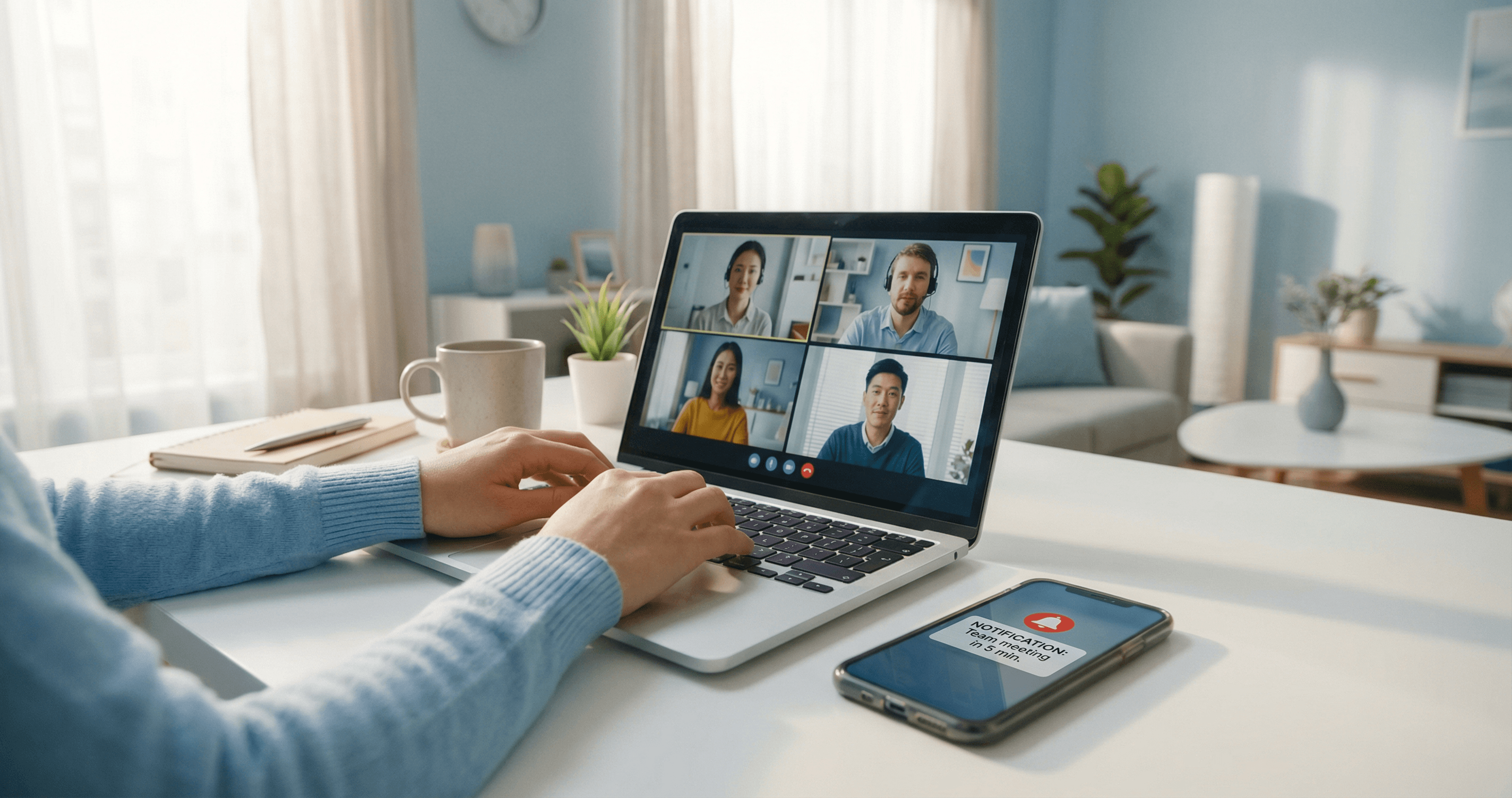
You're deep in a quarterly planning presentation. Your client is about to make a decision. The video call is going perfectly, until your apartment buzzer blares through your headphones.
Do you ignore it and risk missing an important delivery? Apologize to your client and scramble to answer? Sit frozen, hoping the person downstairs gives up?
If you work from home in an apartment, you know this dilemma intimately. Your building's buzzer doesn't know you're on a deadline. It doesn't care that you've been waiting three weeks for that package. And it definitely doesn't understand that the next 15 seconds could cost you hours of lost focus.
This isn't just an annoyance; it's a productivity killer that affects millions of remote workers daily. Here's how to solve it.
Why Your Apartment Buzzer Is a Productivity Killer
What is context switching cost? Context switching cost refers to the mental effort and time required to shift your attention from one task to another. Each interruption, including buzzer calls, forces your brain to disengage from complex work, handle the disruption, and then rebuild the mental model you were working with.
The impact of interruptions is worse than most people realize. According to research from the University of California, Irvine, it takes an average of 23 minutes and 15 seconds to fully refocus on a task after being interrupted. That's not 23 minutes to get back to work; that's 23 minutes to return to the same level of cognitive engagement you had before.
Think about what that means for your workday:
| Buzzer Interruptions | Time Lost (Refocusing) | Equivalent |
|---|---|---|
| 1 per day | 2+ hours/week | Half a workday |
| 2 per day | 4+ hours/week | Full workday |
| 3 per day | 6+ hours/week | More than a day |
And that assumes the interruptions are quick. If you actually leave your desk to answer the intercom, talk to a delivery driver, and walk back, add another 5-10 minutes per occurrence.
The Hidden Cost: Buzzer Anxiety
Beyond the interruptions themselves, there's a subtler drain: the anxiety of knowing an interruption could come at any moment.
When you're expecting a delivery, part of your brain is always listening for that buzzer. You're not fully immersed in your work because you're partially on alert. This divided attention degrades the quality of your focus even when the buzzer doesn't ring.
Remote workers in apartments carry this cognitive load every day a package is in transit.
The Remote Worker's Buzzer Dilemma
The fundamental problem is that your apartment buzzer system was designed for a different era, one where someone was usually home during the day.
You can't simply ignore the buzzer. That package you've been tracking? The one that requires a signature or building access? If you don't answer, it goes back to the depot. Now you've lost even more time scheduling a redelivery, driving to pick it up, or (if it was left unattended) dealing with package theft.
According to Security.org's 2025 Package Theft Report, people living in apartments and condos are more than three times as likely to have packages stolen compared to those in single-family homes. Ignoring the buzzer isn't a risk-free option.
But you can't always answer, either. You're in back-to-back meetings. You're on a call with your boss. You're in flow state, finally making progress on that project that's been stuck for days.
The buzzer creates an impossible choice: productivity or deliveries. Your work or your packages. Focus or access.
The Video Call Nightmare
Nothing captures this dilemma better than the buzzer-during-video-call scenario.
You're presenting to a client. Or interviewing for a job. Or leading a team standup. The buzzer explodes into your headphones, a sound designed to be impossible to ignore. Now you're faced with split-second decisions:
- Do you apologize and answer? (Looks unprofessional)
- Do you ignore it and hope they leave? (Risks missing the delivery)
- Do you mute yourself and frantically try to handle it? (Everyone sees you fumbling)
There's no good option. And the frustration compounds: now you've lost your train of thought, your confidence is shaken, and you're worrying about what happened with that delivery while trying to finish your call.
5 Strategies to Take Back Your Workday
The good news: you don't have to choose between work and building access. Here are five approaches that actually work for remote workers in apartments.
Strategy 1: Schedule Your Delivery Windows
The simplest solution is reducing the randomness. Many carriers now offer delivery scheduling:
- Amazon Day: Consolidate all Amazon orders to one delivery day per week
- UPS My Choice Premium: Choose delivery windows and reroute packages
- FedEx Delivery Manager: Set standing instructions for your address
When you know deliveries are coming Tuesday afternoon, you can plan your meetings around that window. Consolidating orders also means fewer total interruptions.
The limitation: Not all carriers support scheduling, and some packages (especially from smaller retailers) don't offer this flexibility.
Strategy 2: Create a "Do Not Disturb" System
Set clear boundaries for when you can be interrupted:
- Block time on your calendar for deep work and treat it like a meeting
- Put delivery instructions in your carrier accounts: "If no answer, leave in mailroom"
- Communicate with your building about alternative drop-off locations
- Use "quiet hours" features if your building's intercom supports them
The goal is reducing the percentage of buzzes that actually need your immediate attention.
Strategy 3: Use Package Lockers When Available
If your building has smart package lockers (Parcel Pending, Luxer One, Package Concierge), use them consistently:
- Drivers don't need to buzz you at all
- Packages are secure until you retrieve them
- You pick up on your schedule, not theirs
No lockers in your building? Look for nearby alternatives like Amazon Hub Lockers, UPS Access Points, or FedEx Hold at Location.
For more delivery strategies, see our complete guide on 5 ways to never miss a delivery in your apartment. You might also find our guide on how to screen apartment visitors when you're not home helpful for setting up verification rules.
Strategy 4: Coordinate with Roommates or Neighbors
If you share your apartment, set up a system:
- Designate a "primary responder" during each person's deep work blocks
- Use a shared app to track incoming deliveries
- Create signals for "I absolutely cannot be interrupted right now"
Even if you live alone, a trusted neighbor might be willing to accept packages occasionally, especially if you return the favor.
Strategy 5: Automate with AI-Powered Intercom Solutions
How do AI intercom solutions work? These services redirect your buzzer's phone call to an AI assistant that answers on your behalf. The AI identifies visitors through natural conversation, applies your preset rules (like auto-unlocking for known carriers), and notifies you only when necessary.
This is the only strategy that truly eliminates the dilemma. Instead of choosing between answering and ignoring, you delegate the decision to a system that follows your rules 24/7.
Modern AI-powered intercom solutions can:
- Answer automatically when you're in a meeting or deep work
- Screen visitors by asking who they are and why they're there
- Apply your rules: unlock for verified deliveries, decline unknowns during focus time
- Give spoken instructions: tell drivers where to leave packages
- Log everything: so you can review what happened without interrupting your work
The key advantage for renters: these solutions work with your existing phone-based buzzer. No hardware installation. No landlord approval. You're just changing which phone number your unit dials. For a deeper dive on renter-friendly security technology, see our complete smart apartment security guide.
How AI-Powered Intercom Solutions Help Remote Workers
Let's walk through what this looks like in practice during a typical workday.
During Video Calls
Without automation: Buzzer rings. You panic. Either you break focus to answer, or you spend the rest of the call wondering who it was and what happened to your package.
With automation: Buzzer rings. AI answers. If it's a delivery, the AI confirms details, gives instructions, and unlocks (if your rules allow). You get a silent notification on your phone showing what happened. Your call continues uninterrupted.
During Deep Work Blocks
Without automation: Every potential buzz is a source of background anxiety. You're never fully focused because part of your brain is listening.
With automation: You've set "quiet hours" during your morning focus block. Unknown visitors are politely declined. Known carriers follow your delivery instructions. You work in peace, knowing nothing urgent will be missed.
When You Step Out
Without automation: You time your grocery run around expected deliveries. If you miss the window, you miss the package.
With automation: You leave whenever you need to. The AI handles building access the same whether you're home or not. Deliveries arrive successfully. You come back to packages, not missed delivery slips.
For Regular Visitors
Dog walker who comes every day at noon? Cleaning service every other Tuesday? Set them on your allowlist with automatic access. They never need to buzz, you never need to answer, and both of you go about your day.
Setting Up Your Work-From-Home Buzzer System
If you're ready to stop losing hours to buzzer interruptions, here's how to get started:
Step 1: Identify Your Pain Points
Before configuring any system, understand your specific challenges:
- When do most interruptions happen? (Morning meetings? Afternoon focus time?)
- What types of visitors cause problems? (Deliveries? Unknown buzzers? Solicitors?)
- What's your risk tolerance? (Comfortable with auto-unlock for carriers? Or want approval for everything?)
Step 2: Configure Focus Time / Quiet Hours
Set windows when you don't want unknown buzzer interruptions:
- Morning deep work block: 9 AM - 12 PM
- Afternoon focus time: 2 PM - 4 PM
- Evening wind-down: After 8 PM
During these hours, unknown visitors are politely declined or given alternative instructions.
Step 3: Set Delivery Rules
Decide how you want deliveries handled:
- Auto-unlock for verified carriers? (Most convenient, some prefer approval)
- Specific instructions? ("Leave packages in the mailroom on the second shelf")
- Time restrictions? (Auto-unlock only during business hours)
Step 4: Create an Allowlist for Regulars
Add people who should always get access:
- Family members
- Close friends who visit regularly
- Service providers (dog walker, house cleaner, personal trainer)
When someone on your allowlist buzzes, they're granted access immediately with no notification and no interruption.
Step 5: Review and Adjust
No system is perfect on day one. Check your activity logs weekly:
- Are legitimate deliveries getting through?
- Are you still getting interrupted unnecessarily?
- Do your quiet hours match your actual work patterns?
Adjust your rules based on real-world results.
Is It Worth It? The ROI for Remote Workers
Let's do the math on automated buzzer management.
The Costs
Most AI-powered intercom solutions cost $15-30 per month. That's:
- Less than a single work lunch out
- About the price of one streaming subscription
- A fraction of what most people spend on coffee
The Benefits
Productivity recovery: If you're getting interrupted 2-3 times daily and losing 23+ minutes per interruption, that's 4-6 hours per week. At even a modest hourly rate, the productivity value far exceeds the monthly cost.
Package protection: Security.org reports that the average stolen package is worth approximately $222. One prevented theft pays for 6-12 months of service.
Stress reduction: This is harder to quantify, but real. The peace of mind from knowing your buzzer is handled during meetings, during focus time, and while you're out has genuine value.
What Are Renters Willing to Pay?
You're not alone in seeing value here. According to the Rently 2025 Smart Apartment Trends Report, 65% of renters are willing to pay extra monthly for smart amenities, with 52% comfortable paying over $20 per month.
The demand exists because the problem is real. And now the solutions match the price point.
Comparing Your Options
Here's how different approaches stack up for remote workers in apartments:
| Approach | Interruption Reduction | Setup Effort | Monthly Cost | Works When You're Away |
|---|---|---|---|---|
| Ignoring the buzzer | High (but risky) | None | $0 | No |
| Delivery scheduling | Medium | Low | $0-5 | Partially |
| Package lockers | High (if available) | Low | $0 | Yes |
| Neighbor coordination | Low-Medium | Medium | $0 | Sometimes |
| AI intercom solution | High | Low | $15-30 | Yes |
For most remote workers, the combination of delivery scheduling (for what you can control) and AI-powered intercom (for everything else) provides the best coverage.
Taking Control of Your Workday
Your apartment's buzzer was designed for a world where someone was always home to answer. That's not how most of us work anymore.
Remote workers deserve the same uninterrupted focus that people in offices take for granted. You shouldn't have to choose between your deliveries and your deep work, between answering the buzzer and staying professional on a video call.
The technology to solve this problem now exists, and it works with the buzzer system your building already has. No hardware. No landlord negotiations. No technical expertise required.
When you take control of your building's access, you take back your workday. That's hours of productivity. Fewer missed packages. Less stress about what's happening at your door while you're trying to work.
You have enough demands on your attention. Your buzzer shouldn't be one of them.
Ready to stop letting your buzzer control your schedule? Learn how Knockli's AI doorman answers your building's intercom, screens visitors, and handles deliveries so you can focus on work without missing what matters. Setup takes 10 minutes, requires no hardware, and costs less than your streaming subscriptions.
Related Articles
Introducing Knockli: Your AI Doorman Is Here
Knockli is your AI doorman. It answers your apartment buzzer, screens visitors, and handles deliveries automatically. No hardware needed, no landlord approval.
Apartment Package Theft: 3x Worse Than You Think
Apartment residents are 3x more likely to have packages stolen. Learn what to do when a package is stolen and how to prevent apartment package theft for good.
What Is an AI Doorman? (And Should You Get One?)
An AI doorman answers your apartment buzzer, screens visitors, and unlocks the door by your rules. How it works, costs, and fit.