Dog Walker Apartment Access: How to Let Service Providers In Safely
You hired a dog walker so you wouldn't have to rush home. But how do they actually get into your building? Here's how apartment renters are solving the service provider access problem without compromising security.
Knockli Team
Building Access Experts
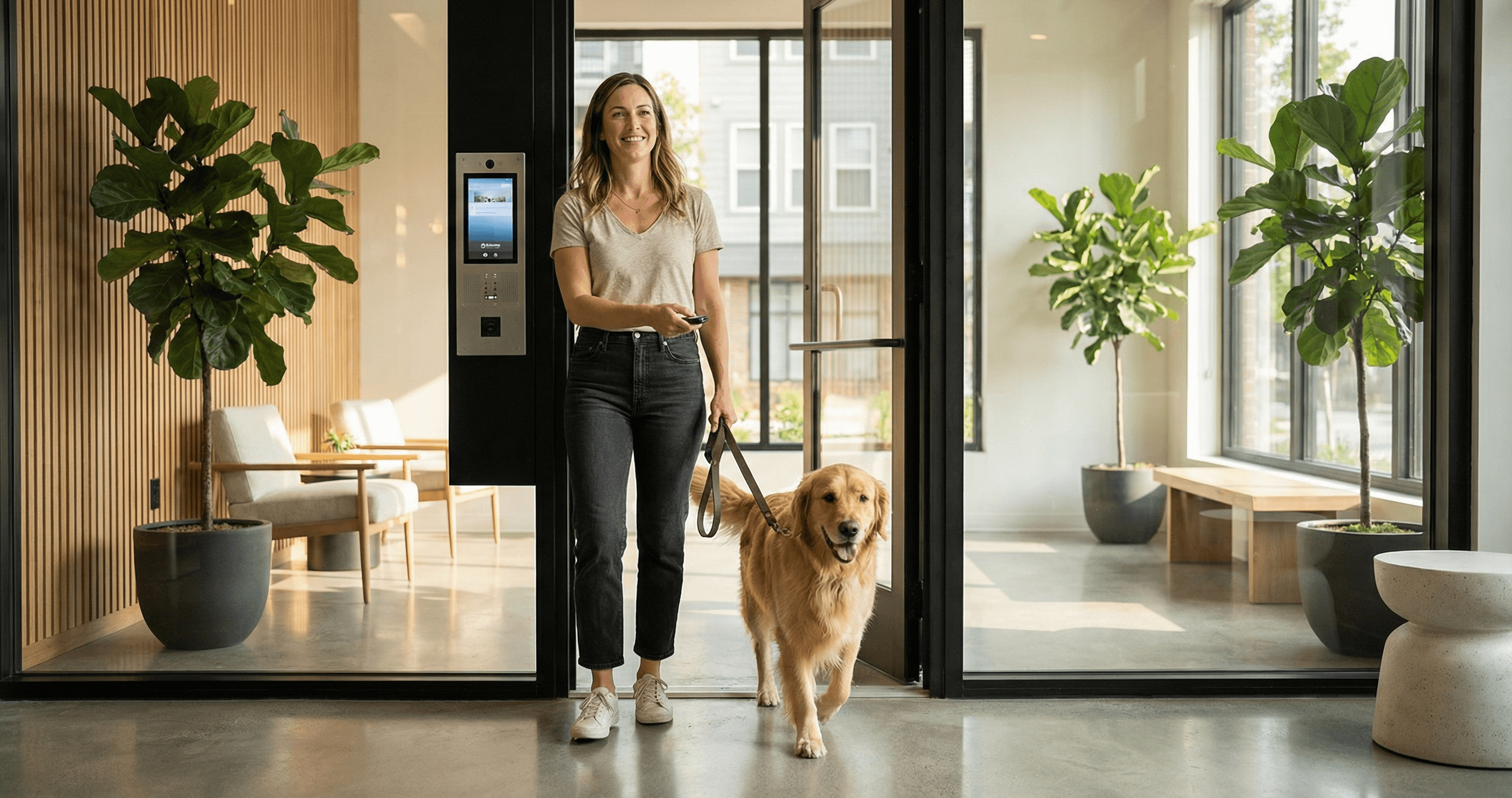
You hired a dog walker so you wouldn't have to rush home during lunch. Or maybe you finally found a house cleaner who can come on Tuesdays while you're at work. There's just one problem: how do they actually get into your building?
If you live in an apartment with a secured entrance, this question isn't hypothetical. Your unit has its own lock (that's the easy part), but the building entrance requires someone to buzz them in. And that someone is supposed to be you.
For apartment renters who rely on regular service providers, this creates a frustrating coordination problem. You're paying for convenience, but then you're stuck texting "I'll buzz you in!" at the same time every day. Or worse, you're handing out copies of your keys and hoping for the best.
There's a better way. Here's how apartment renters are solving the service provider access problem without compromising security.
The Service Provider Access Problem
The challenge isn't getting someone into your apartment unit. Most renters can leave a spare key under the mat, in a lockbox, or with a trusted neighbor. The real issue is the building entrance.
Modern apartment buildings have secured lobbies, gated parking, or intercom systems that require resident authorization for every entry. This is great for security. It's terrible for the dog walker who shows up at 12:15 PM every weekday.
What is building access for service providers? Building access refers to granting authorized entry through your apartment building's secured entrance (lobby door, parking gate, or intercom system) to people who need to reach your unit on a regular basis, like dog walkers, house cleaners, pet sitters, or personal trainers.
Who Needs Regular Building Access?
Think about everyone who might need to enter your building on your behalf:
- Dog walkers: Daily or multiple times per week
- House cleaners: Weekly or bi-weekly visits
- Pet sitters: When you travel for work or vacation
- Personal trainers: If you work out at home
- Grocery or meal delivery helpers: For recurring orders
- Maintenance contractors: For scheduled repairs you've arranged
Each of these service providers faces the same barrier: they can't get to your door without getting through the building first.
Why This Matters More Than Ever
Urban apartment living and service provider use have both increased significantly. According to ApartmentAdvisor's research on pet-friendly rentals, 58% of urban dog owners report difficulty finding pet-friendly apartments. Once they do find a place, many rely on dog walking services to make apartment life work for their pets.
Meanwhile, remote and hybrid work has created new patterns. You might be home some days but not others. Your schedule isn't predictable enough to always be there when the cleaner arrives, but you need the flexibility to have them come during work hours.
The result: more apartment renters than ever need reliable ways to grant building access to service providers.
Traditional Solutions and Their Limitations
Let's look at the common ways apartment renters currently handle service provider access, and why none of them are ideal.
Copying Your Keys
The most straightforward approach: give your service provider a copy of your building key (if one exists) and your unit key.
The problems:
- You lose control over who has copies. Your dog walker might loan it to a backup walker you've never met.
- If you end service, getting the key back is awkward and doesn't guarantee copies weren't made.
- Many buildings explicitly prohibit key duplication.
- There's no record of when the key was used.
Using a Lockbox
External lockboxes (the kind real estate agents use) can hold a key that service providers access with a code.
The problems:
- Many apartment buildings and HOAs prohibit lockboxes on common property.
- They're visible, advertising that keys are stored there.
- Codes can be shared or observed.
- They only solve the unit door problem, not building entry.
Coordinating with a Doorman
If your building has a doorman, you can authorize them to let your service provider in.
The problems:
- Not all buildings have doormen, and those that do charge premium rent.
- Doormen change shifts. The new person might not know your arrangement.
- It relies on verbal communication that can be forgotten or misunderstood.
- No documentation if something goes wrong.
Being Home Every Time
You could simply plan to be home whenever a service provider needs access.
The problems:
- This defeats the entire purpose of hiring help.
- Your schedule has to revolve around theirs.
- What happens when you're stuck in traffic or a meeting runs late?
Having a Neighbor Buzz Them In
Ask a friendly neighbor to answer your buzzer and let your service provider in.
The problems:
- You're imposing on someone else regularly.
- Your neighbor might not be home.
- There's no accountability for your visitor's actions.
- It requires coordination every single time.
Comparison: Traditional Access Methods
| Method | Security | Convenience | Accountability | Works for Building Entry |
|---|---|---|---|---|
| Key copies | Low | High | None | Maybe (if building key exists) |
| Lockbox | Medium | Medium | None | Usually not |
| Doorman | Medium | High | Some | Yes |
| Being home | High | Low | Full | Yes |
| Neighbor help | Low | Low | None | Yes |
None of these options combine security, convenience, and accountability. That's the gap modern solutions fill.
The Modern Approach: Smart Intercom Solutions
The best solution for recurring service provider access is a system that grants building entry automatically for pre-approved people, during pre-approved times, with a full record of every access.
This is exactly what smart intercom solutions with allowlists do.
How Allowlists Work
What is an allowlist for building access? An allowlist is a pre-approved list of people who can be granted building entry automatically when they buzz your unit. Instead of you answering every time, the system recognizes them (by name, phone number, or passphrase) and unlocks the door according to your rules.
When your dog walker buzzes:
- The smart intercom answers automatically
- It identifies them through the conversation or a passphrase
- It checks your rules (Are they on your allowlist? Is this within their access window?)
- If approved, it unlocks the building entrance
- It logs the access with timestamp and details
- You get a notification (optional)
You don't have to answer. You don't have to be home. You don't have to remember to text your dog walker that you're in a meeting. The system handles it according to rules you set once.
Time-Based Access Rules
Beyond allowlists, smart intercom systems let you set time-based rules:
For your dog walker (weekdays 11 AM - 1 PM):
- Auto-unlock during that window only
- Outside those hours, the walker can still buzz but you'll be asked to approve
For your cleaner (Tuesdays 9 AM - 3 PM):
- Broader window because cleaning takes longer and arrival times vary
- No access on other days
For your pet sitter (during your vacation):
- Temporary full access while you're away
- Automatically reverts when you return
This time-limiting adds security. Even if someone learns your dog walker's name, they can't use that to gain access at midnight.
The Accountability Advantage
Perhaps the biggest benefit of smart intercom solutions is the activity log.
Every access gets recorded:
- Who buzzed
- What time
- Whether they were granted entry
- How long until they left (if your system tracks that)
This matters for multiple reasons:
- Verification: You can confirm your dog walker actually came
- Disputes: If something goes missing, you have a record of who was there
- Patterns: You might notice your cleaner is finishing faster than expected
- Peace of mind: Even when you're not home, you know exactly what happened
Traditional methods offer none of this. With key copies, you have no idea when or if access occurred.
For a deeper dive on screening visitors in general, see our guide on how to screen apartment visitors when you're not home.
Setting Up Service Provider Access
Ready to modernize how your service providers access your building? Here's what you need to consider.
Information to Gather from Service Providers
Before adding someone to your allowlist, collect:
- Their name (as they'll identify themselves at the buzzer)
- Typical arrival time (so you can set appropriate windows)
- Visit frequency (daily, weekly, etc.)
- Backup contact (in case there's an issue)
- Any company affiliation (Wag, Rover, a cleaning company name)
What to Discuss with Your Service Provider
Have a quick conversation covering:
- How entry works: "When you buzz, the system will ask who you are. Say your name, and you'll be let in automatically."
- Time windows: "You're approved for entry between 11 AM and 1 PM on weekdays. Outside that window, I'll get a notification."
- Expectations: "Please let me know if your schedule changes so I can update the access window."
- What to do if it doesn't work: "Text me and I can let you in manually."
Security Best Practices
Even with smart solutions, basic precautions matter:
- Verify credentials: Check reviews and references before granting anyone building access
- Start supervised: Be home for the first visit or two before enabling auto-access
- Review logs periodically: Glance at your activity log weekly to confirm expected patterns
- Update when situations change: If you end service with someone, remove them from your allowlist immediately
- Keep unit access separate: The allowlist gets them into the building. Your unit key is a separate decision.
Special Considerations by Service Type
Different service providers have different access needs. Here's how to think about each:
Dog Walkers
Typical schedule: Daily, same time, often 30-60 minute visits
Access window recommendation: Set a 2-hour window around their usual arrival time (e.g., 11 AM - 1 PM). This accounts for traffic and schedule variations without leaving access open all day.
Extra consideration: Dog walkers often work for companies with multiple walkers. Ask if the same person will come each time, or if you need to add multiple names to your allowlist.
House Cleaners
Typical schedule: Weekly or bi-weekly, longer visits (2-4 hours)
Access window recommendation: Set a broader window since cleaning arrival times vary more (e.g., 9 AM - 3 PM on their scheduled day).
Extra consideration: Cleaners need enough time to complete their work. If they're consistently finishing faster than expected, your activity log will show this pattern.
Pet Sitters
Typical schedule: Occasional, extended access during your travel
Access window recommendation: Create a temporary rule that spans your entire trip, then remove it when you return.
Extra consideration: Pet sitters may need access multiple times per day (morning and evening). Make sure your rules accommodate this.
Personal Trainers and Other Services
Typical schedule: Weekly or several times per week, usually 1-hour sessions
Access window recommendation: Tight window around appointment time (30 minutes before to 30 minutes after scheduled start).
Extra consideration: If you work out at home, you're likely present anyway. The allowlist makes the building entry seamless so you're not running downstairs mid-warmup.
What About Your Unit Door?
This guide focuses on building access because that's the harder problem to solve. But your service provider still needs to get into your actual apartment.
Options for unit access:
- You're home: Let them in yourself (simplest but defeats flexibility)
- Leave key with building staff: Works if you trust the system and have a doorman
- Smart lock on unit: Install a renter-friendly smart lock with temporary codes
- Lockbox inside building: Allowed in many buildings even when external ones aren't
- Key handoff: Give them a key directly and trust them
The best combination: smart building access (via allowlist) plus a renter-friendly smart lock on your unit. This gives you full control and logging at both entry points. For more on smart security options for renters, see our complete smart apartment security guide.
Is This Worth It?
Let's do the math on the value of automated service provider access.
The Time Cost of Manual Coordination
If you manually coordinate building access:
- Texting your dog walker confirmation each day: 5 minutes/day = 25 minutes/week
- Running to the buzzer or monitoring for arrival: 5-10 minutes per visit
- Mental overhead of remembering: unmeasurable but real
Over a month, that's hours of your time spent on something that could be automated.
The Security Cost of Traditional Methods
Copying keys means:
- Anyone with a copy has 24/7 access
- You have no record of when access occurs
- Ending service doesn't guarantee key return or destruction of copies
The Rently 2025 Smart Apartment Trends Report found that 41% of renters cite feeling safer at home as their primary motivation for wanting smart technology. Time-limited access with logging directly addresses that need.
The Financial Cost of Smart Solutions
AI-powered intercom solutions typically cost $15-30 per month. If you use a dog walker ($25-50/walk) and a cleaner ($100-200/visit), you're already spending significant money on services. The access solution costs a fraction of one service visit.
And unlike key copies or lockboxes, you get:
- Time-limited windows
- Full activity logging
- Instant removal when service ends
- No physical items to track or retrieve
Taking Control of Your Building Access
Living in an apartment shouldn't mean choosing between security and convenience. You shouldn't have to be chained to your phone waiting for the dog walker to buzz. And you definitely shouldn't be handing out key copies with no way to track their use.
Modern smart intercom solutions give you what traditional methods can't:
- Automated entry for pre-approved people
- Time-based rules that limit when access is granted
- Full logging of every entry
- Instant control to add or remove access
The best part? These solutions work with your existing building intercom. No hardware installation. No landlord approval needed. Just update your buzzer's callback number and you're in control.
Your service providers keep your life running smoothly. It's only fair that accessing your building should be equally smooth for them.
Ready to simplify access for your dog walker, cleaner, or pet sitter? Knockli's AI doorman lets you create allowlists with time-based rules, log every building entry, and manage access from your phone. Setup takes 10 minutes and works with your existing buzzer. No keys to copy, no lockboxes to manage, no coordination texts required.
Related Articles
Apartment Package Theft: 3x Worse Than You Think
Apartment residents are 3x more likely to have packages stolen. Learn what to do when a package is stolen and how to prevent apartment package theft for good.
Apartment Delivery Problems Aren't the Driver's Fault
8-20% of apartment deliveries fail because your building wasn't designed for packages. Data analysis of the $17.78-per-failure cost.
Introducing Knockli: Your AI Doorman Is Here
Knockli is your AI doorman. It answers your apartment buzzer, screens visitors, and handles deliveries automatically. No hardware needed, no landlord approval.