Night Shift Apartment Sleep: Stop Daytime Buzzer Chaos
Your apartment buzzer doesn't care that you work nights. Neither do delivery drivers, neighbors, or anyone else who rings during your precious sleep hours. Here's how night shift workers are taking control of their apartment access.
Knockli Team
Building Access Experts
Key Takeaways
- Night shift workers face inverted schedules: standard apartment quiet hours (10 PM–8 AM) are when you're awake, not when you need quiet
- 18.5% of night shift workers experience insomnia compared to just 8.6% for day workers, partly due to daytime interruptions
- Deliveries are the biggest culprit: most packages arrive between 10 AM and 2 PM, your equivalent of 2–6 AM
- AI-powered intercom solutions can enforce custom quiet hours: automatically decline unknown visitors while letting approved people through
- Setup takes about 10 minutes: configure delivery rules, allowlists, and quiet hours once, then sleep uninterrupted
Your alarm goes off at 5:30 PM. You shower, grab your coffee, and head to work while everyone else is winding down their day. Eight or twelve hours later, you come home exhausted, ready to sleep while the rest of the world wakes up.
Then it starts. The buzzer. Delivery drivers. Your neighbor's visitors who can't figure out the intercom. That persistent solicitor who apparently works every building in a three-mile radius.
If you work nights and live in an apartment, you know this cycle. According to the Bureau of Labor Statistics, 3.6% of the US workforce works night shifts, and over 21 million workers have alternate schedules that put them out of sync with the 9-to-5 world. The American Academy of Sleep Medicine reports that night shift workers experience insomnia at 18.5% compared to just 8.6% for day workers. A big reason? The world keeps interrupting their sleep.
Living in an apartment while working nights isn't just inconvenient. It's a genuine health challenge. Here's how to actually solve it.
Why Apartments Are Harder for Night Shift Workers
The traditional apartment model assumes you're home at night and out during the day. Every system in your building reflects this assumption, and it works against you.
Your Building's Quiet Hours Are Inverted
Most apartment buildings enforce quiet hours between 10 PM and 8 AM. That's when you're awake, working, or commuting. The hours you actually need quiet, roughly 8 AM to 6 PM, are when everyone else is at their noisiest. Construction crews start at 7 AM. Landscapers run leaf blowers at 9 AM. Your neighbor's kids come home from school at 3 PM.
Your building's rules don't protect your sleep. They protect everyone else's.
Your Buzzer Assumes You're Available
Apartment intercoms work on a simple model: someone buzzes, you answer. There's no "I'm sleeping, come back later" option. There's no way to tell the system that 11 AM is the middle of your night. Your buzzer rings at full volume whether it's 6 PM or 6 AM, and you're expected to be ready to deal with whoever's at the door.
If you've tried turning off your phone's ringer to avoid buzzer calls, you've probably also missed important calls, locked out legitimate visitors, or returned home to delivery failure notices.
For more on managing buzzer interruptions in general, see our guide on how to stop your apartment buzzer from ruining your workday. The strategies overlap, but night shift workers face a different version of this problem: the interruptions happen during what should be protected sleep, not just focused work.
Deliveries Arrive During Your Sleep
Most delivery windows run from 8 AM to 6 PM, with the majority arriving between 10 AM and 2 PM. That's your equivalent of 2 AM to 6 AM. Imagine being woken up at 3 AM for an Amazon package you weren't expecting until tomorrow.
This isn't just annoying. According to the Sleep Foundation's research on daytime sleeping, interrupted sleep is dramatically less restorative than continuous sleep. Every buzzer that wakes you cuts into the quality of rest you're getting, not just the quantity.
The Delivery Problem (and What to Do About It)
Let's start with deliveries, since they're one of the most controllable sources of daytime interruptions.
Option 1: Redirect to Alternate Locations
The simplest solution is to stop packages from coming to your apartment during sleep hours altogether:
- Amazon Hub Lockers: Available at grocery stores, pharmacies, and convenience stores. Pick up on your way to or from work.
- UPS Access Points and FedEx Hold at Location: Direct packages to a nearby retail partner.
- Workplace delivery: If your employer allows it, have packages sent to work.
- Package holding services: Some shipping stores offer mailbox services that accept all carriers.
This works well for planned purchases. The limitation: you can't control when other people send you things, and not every carrier supports locker delivery.
Option 2: Adjust Delivery Windows
Major carriers offer some control over delivery timing:
- Amazon Day: Consolidate all Amazon orders to one delivery day per week.
- UPS My Choice Premium: Reschedule deliveries to specific windows.
- FedEx Delivery Manager: Hold packages for pickup or set delivery preferences.
If you can shift most deliveries to late afternoon (after 4 PM), you'll protect the core of your sleep without missing everything.
Option 3: Automate Building Entry
The most flexible solution is to let deliveries happen during your sleep without requiring you to wake up and answer. AI-powered intercom solutions like Knockli can handle delivery driver interactions automatically. When a driver buzzes, the AI answers, confirms the delivery, provides instructions for where to leave packages, and unlocks the building if your rules allow. You get a notification, but you don't have to wake up.
This approach is particularly valuable if you live in a building without a package room or locker system. Even if drivers have to leave packages at your door, you can at least let them in without the buzzer waking you.
For more delivery management strategies, see our complete guide on how to never miss an apartment delivery.
Managing Visitors on a Night Shift Schedule
Beyond deliveries, you have visitors: friends, family, service providers, and random people who buzz the wrong unit. Each creates a different challenge for daytime sleepers.
Service Providers Need Access While You Sleep
Your dog walker comes at noon. Your cleaner shows up Tuesday mornings. The maintenance person your landlord scheduled? Also daytime. These are legitimate visitors who need building entry, but they arrive during your most vulnerable sleep hours.
The traditional options are all flawed:
- Give them a key: You lose control over when they come and who has copies.
- Have them call when they arrive: You wake up to let them in.
- Ask a neighbor to buzz them in: You're imposing on someone else, and they might not be home.
The better approach: set up allowlists with time-based rules. If you're using an AI intercom solution, you can pre-approve specific people during specific windows. Your dog walker is automatically let in between 11 AM and 1 PM. Your cleaner gets access on Tuesdays from 9 AM to 3 PM. You don't wake up; you just review the activity log when you're ready.
Friends and Family Don't Understand Your Schedule
Here's a conversation night shift workers have constantly:
"I'll stop by around noon!" "I'll be sleeping." "But it's the middle of the day?"
People who work traditional hours genuinely struggle to internalize that noon is your 3 AM. They buzz, they call, they show up, and then they're confused when you're irritated about being woken up.
You can solve this with communication (over and over), but you can also solve it with systems. Set up rules that decline unknown visitors during your sleep hours, automatically sending a polite message that you're unavailable. Let expected visitors through by adding them to your allowlist before they arrive. This way, your aunt who's visiting from out of town gets in, but the friend who decided to "pop by" without warning gets a do-not-disturb message instead of a groggy, resentful conversation through the intercom.
Random Buzzers Are the Worst
Some interruptions aren't personal: someone buzzing every unit hoping someone will let them in, solicitors, survey takers, people who got the wrong address. These visitors have no legitimate reason to wake you up, but traditional intercom systems treat every buzz the same.
With smart intercom solutions, you can set rules that decline unknown visitors entirely during your sleep hours. If someone can't identify themselves or isn't on your allowlist, they don't get through. You can review the log later to see if anything important happened, but your sleep stays uninterrupted.
Setting Up Your Apartment for Night Shift Life
Technology solves some problems. Smart habits solve the rest. Here's how to optimize your apartment for daytime sleeping.
Create a Sleep-Friendly Environment
The Sleep Foundation's tips for daytime sleeping emphasize environmental control:
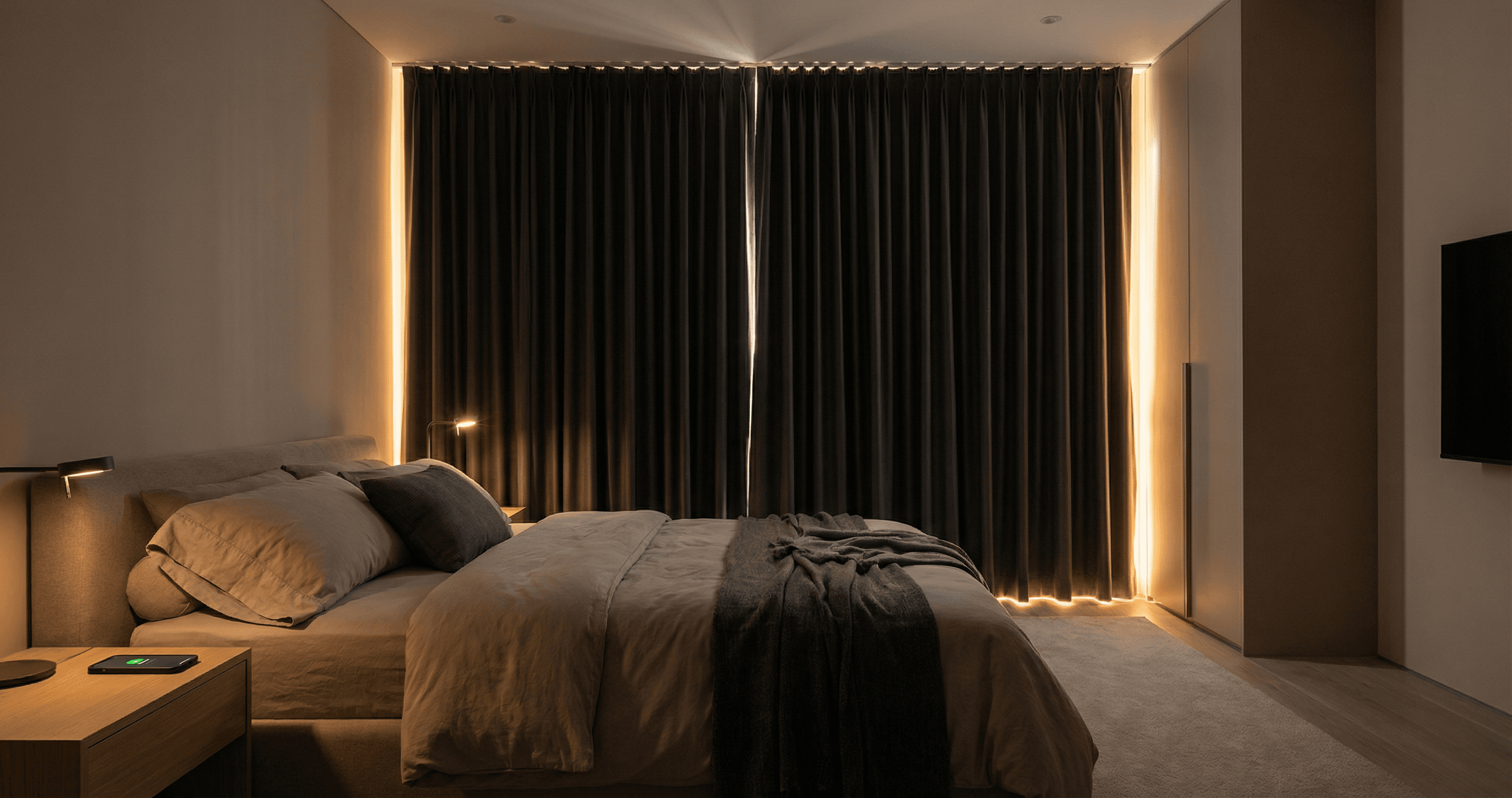
- Blackout curtains: Essential. Your body responds to light, and daytime brightness fights your sleep.
- White noise or earplugs: Backup protection against sounds that get through your intercom rules.
- Cool temperature: Keep your bedroom cooler than the rest of your apartment.
- Consistent schedule: Even on days off, try to maintain similar sleep times. Your body adapts better to a regular pattern.
Communicate With Building Management
Some buildings will work with you if you explain your situation:
- Ask about quiet deliveries: Can maintenance be scheduled for afternoons?
- Update your unit profile: Some buildings track which residents work non-traditional hours.
- Know your rights: If your building has noise policies, understand what's actually enforceable during daytime hours.
Most apartment communities won't redesign their operations around night shift workers, but small accommodations can help.
Optimize Delivery Instructions
Update your delivery instructions with every major carrier:
- Amazon: Account Settings → Addresses → Edit → Add instructions
- UPS My Choice: Set standing preferences for your address
- FedEx Delivery Manager: Configure delivery preferences
Include specific, useful information: building entry code (if any), whether to leave packages with the building office, your preferred location if the office is closed. The more specific your instructions, the less likely a driver is to buzz you for clarification.
How AI Intercom Solutions Work for Night Shifters
Let's get specific about how Knockli and similar AI intercom solutions address the night shift problem, since this is the most direct solution to buzzer chaos.
Custom Quiet Hours
With Knockli, you define quiet hours based on YOUR schedule, not the building's standard hours. Set quiet hours from 7 AM to 5 PM, and during that window, unknown visitors are automatically declined with a polite message. No buzzer sound. No phone call. No interruption.
The key difference from just turning off your phone: legitimate visitors (delivery drivers you've pre-approved, people on your allowlist) can still get through. You're not isolating yourself; you're filtering interruptions.
Automatic Delivery Handling
When a delivery driver buzzes during your quiet hours, Knockli answers and handles the interaction. The AI asks who they are, confirms the delivery, and either unlocks the building (if your rules allow) or provides instructions for where to leave packages. You receive a notification but don't have to wake up.
This works even for unexpected deliveries from senders who didn't coordinate with you. Instead of a missed delivery notice, you get a handled delivery and a log of what happened.
Allowlists With Time Windows
Pre-approve specific people for specific times:
- Dog walker: Access between 11 AM and 1 PM weekdays
- Partner with opposite schedule: Always allowed, any time
- Parents visiting this week: Temporary access for their trip duration
These rules apply automatically. Your approved visitors get in without waking you; everyone else gets screened or declined based on your preferences.
Activity Logging
Every interaction is logged: who buzzed, when, what they said, how it was handled, whether they were granted access. When you wake up, you can review everything that happened during your sleep in one place.
This matters for both security and peace of mind. You know exactly who came by, whether deliveries were handled, and if anything unusual happened. No more wondering who that buzzer was that you slept through.
Making the Transition
If you're currently just enduring daytime interruptions, here's how to transition to a better system:
Week 1: Audit Your Interruptions
Before changing anything, track what's actually waking you up:
- How many buzzer calls during your sleep hours?
- What percentage are deliveries vs. visitors vs. random?
- Which delivery carriers are most disruptive?
- Do you have recurring visitors (service providers) who need access?
This audit tells you where to focus your effort.
Week 2: Set Up Delivery Alternatives
Start with the easy wins:
- Configure delivery preferences with major carriers
- Set up an Amazon Hub Locker if one is convenient
- Update delivery instructions on your account profiles
These changes cost nothing and reduce a significant percentage of daytime buzzes.
Week 3: Implement Intercom Automation
If you're still getting interrupted after delivery optimization, it's time for smarter intercom management. Set up an AI solution like Knockli, configure your quiet hours to match your actual sleep schedule, and add recurring visitors to your allowlist.
The setup takes about 10 minutes. The benefit: every sleep period after that is protected.
Week 4: Fine-Tune Based on Experience
After a few weeks, review your activity logs and adjust:
- Are your quiet hours set correctly, or do you need a buffer on either end?
- Are there visitors you should add to your allowlist?
- Are any rules too strict (blocking people you actually want to hear from)?
Most night shift workers find they need one or two adjustment cycles before their system works smoothly.
The Sleep Dividend
Good sleep isn't a luxury for night shift workers. It's a health necessity. The 18.5% insomnia rate among night shift workers compared to 8.6% for day workers reflects real physical and mental health impacts. When you can't sleep well, everything suffers: your work performance, your relationships, your long-term health.
The systems and technology covered in this guide aren't about convenience. They're about protecting something essential that the traditional apartment model doesn't account for. Your schedule is different, so your apartment setup needs to be different too.
Your buzzer doesn't know you work nights. But with the right setup, it doesn't have to.
Working nights shouldn't mean sacrificing your sleep to every random buzzer. Knockli's AI doorman lets you set custom quiet hours, auto-handle deliveries, and pre-approve visitors so you can sleep through the day without missing what matters. Setup takes 10 minutes, works with your existing buzzer, and gives you back the rest you need.
Related Articles
Apartment Delivery Problems Aren't the Driver's Fault
8-20% of apartment deliveries fail because your building wasn't designed for packages. Data analysis of the $17.78-per-failure cost.
Apartment Package Theft: 3x Worse Than You Think
Apartment residents are 3x more likely to have packages stolen. Learn what to do when a package is stolen and how to prevent apartment package theft for good.
Introducing Knockli: Your AI Doorman Is Here
Knockli is your AI doorman. It answers your apartment buzzer, screens visitors, and handles deliveries automatically. No hardware needed, no landlord approval.